Build a basic prototype
This tutorial will show you how to prototype a fictional service.
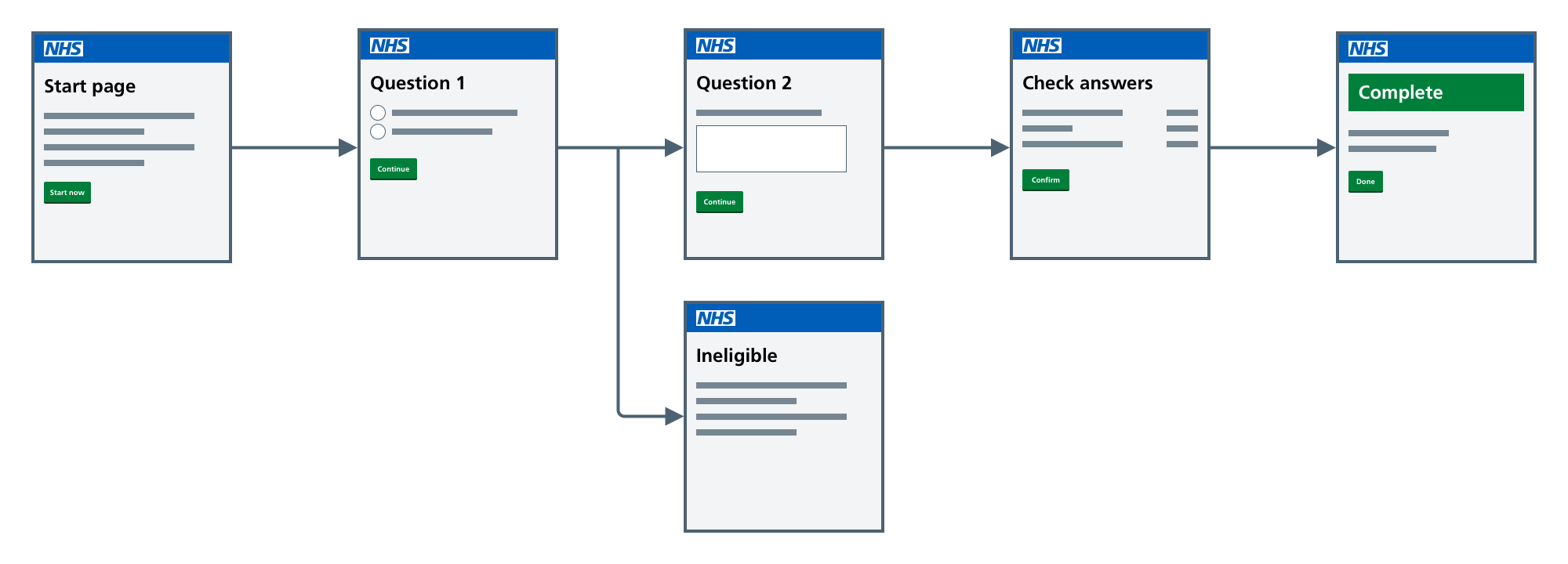
Our fictional ‘Order a test to check if you have magical powers’ service will:
- ask 2 questions
- take users to different pages depending on their answers
- summarise the user’s answers for them to check
- show a confirmation page
It will take about an hour to complete this tutorial.
This diagram shows how the pages will link together:
Before you start
Before you start, you must first create a new prototype using the GitHub template.
You’ll then need to either:
- install the kit on your computer
- run the kit in the cloud
See get started for guidance on both options.
Once you’ve done this, you’re ready to start the tutorial.